mirror of
https://github.com/chaitin/SafeLine.git
synced 2026-02-03 15:23:30 +08:00

113 lines
4.3 KiB
Markdown
113 lines
4.3 KiB
Markdown
<p align="center">
|
||
<img src="https://ctstack-oss.oss-cn-beijing.aliyuncs.com/veinmind/safeline-assets/safeline_logo.png" width="120">
|
||
</p>
|
||
<h1 align="center">SafeLine Community Edition</h1>
|
||
<h3 align="center">Keep hackers at bay</h3>
|
||
<br>
|
||
<p align="center">
|
||
<img src="https://img.shields.io/badge/SafeLine-BEST_WAF-blue">
|
||
<img src="https://img.shields.io/github/release/chaitin/safeline.svg?color=blue" />
|
||
<img src="https://img.shields.io/github/release-date/chaitin/safeline.svg?color=blue&label=update" />
|
||
<img src="https://img.shields.io/docker/v/chaitin/safeline-mgt-api?color=blue">
|
||
<img src="https://img.shields.io/github/stars/chaitin/safeline?style=social">
|
||
</p>
|
||
|
||
<p align="center"> <a href="https://waf-ce.chaitin.cn/">Official Website</a> </p>
|
||
<p align="center"> English | <a href="README_CN.md">中文文档</a> </p>
|
||
|
||
A simple and easy to use WAF tool. Built on [Chaitin Technology](https://www.chaitin.cn/en/)'s ace 🤖️Intelligent Semantic Analysis algorithm🤖️, designed for the community.
|
||
|
||
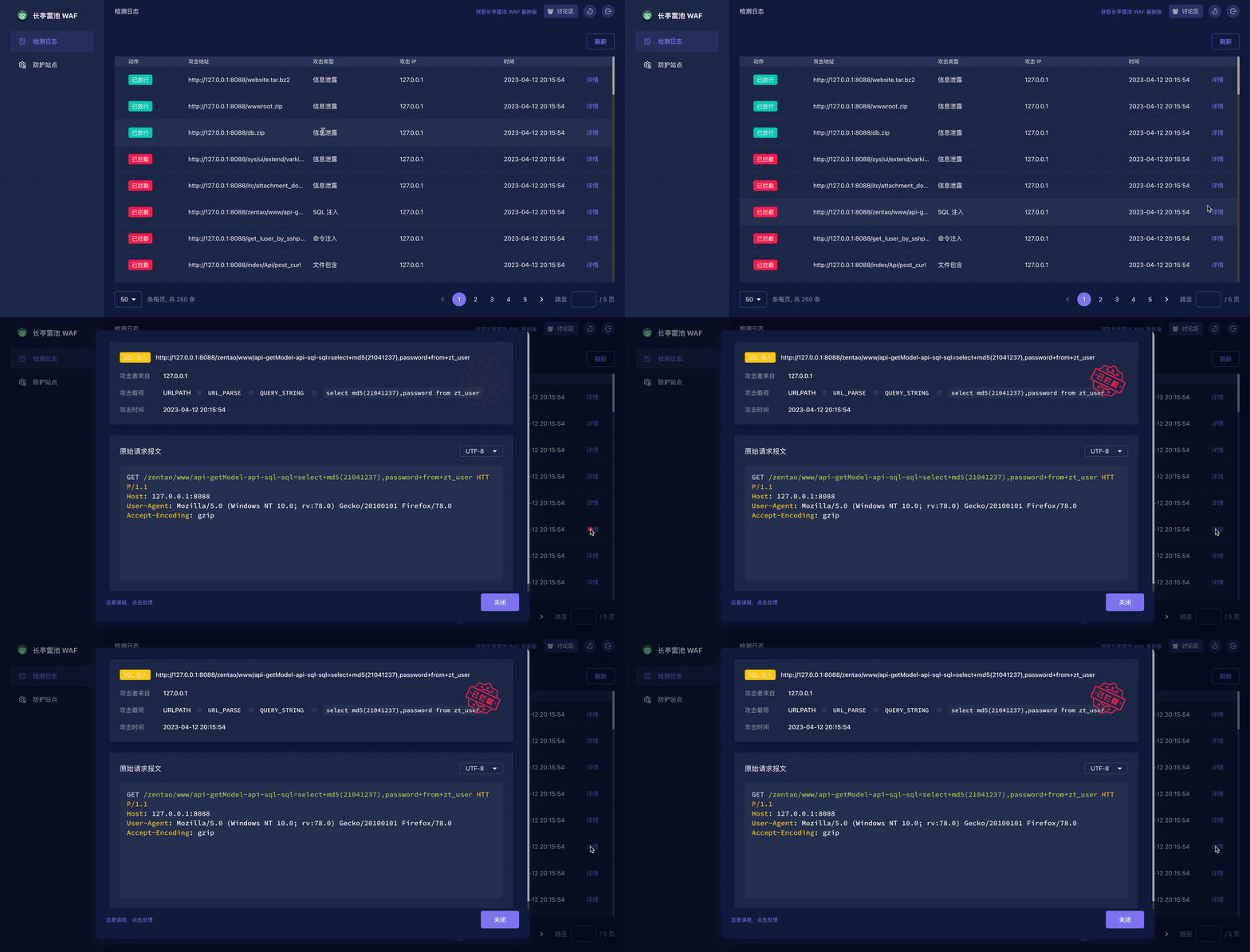
## ✨ Demo
|
||
|
||
### 🔥🔥🔥 Online Demo: https://demo.waf-ce.chaitin.cn:9443/
|
||
|
||
There is a simple http server, listened on `http://127.0.0.1:8889`, can be used as for testing.
|
||
|
||
|
||
|
||
|
||
|
||
## 🚀 Installation
|
||
|
||
### 1. Make sure [Docker](https://docs.docker.com/engine/install/) and [Compose V2](https://docs.docker.com/compose/install/) are installed correctly on the machine
|
||
```shell
|
||
docker info # >= 20.10.6
|
||
docker compose version # >= 2.0.0
|
||
```
|
||
|
||
### 2. Setup and deploy
|
||
|
||
```shell
|
||
mkdir -p safeline && cd safeline
|
||
# setup
|
||
curl -kfLsS https://waf-ce.chaitin.cn/release/latest/setup.sh | bash
|
||
|
||
# launch
|
||
sudo docker compose up -d
|
||
```
|
||
|
||
#### Upgrade
|
||
|
||
**WARN: SafeLine will be restarted and your traffic will be unavailable for a short period of time. You may need to choose a proper time for upgration.**
|
||
|
||
```shell
|
||
curl -kfLsS https://waf-ce.chaitin.cn/release/latest/upgrade.sh | bash
|
||
|
||
# delete the old used image layers if necessary.
|
||
docker rmi $(docker images | grep "safeline" | grep "none" | awk '{print $3}')
|
||
```
|
||
|
||
## 🕹️ Quick Start
|
||
|
||
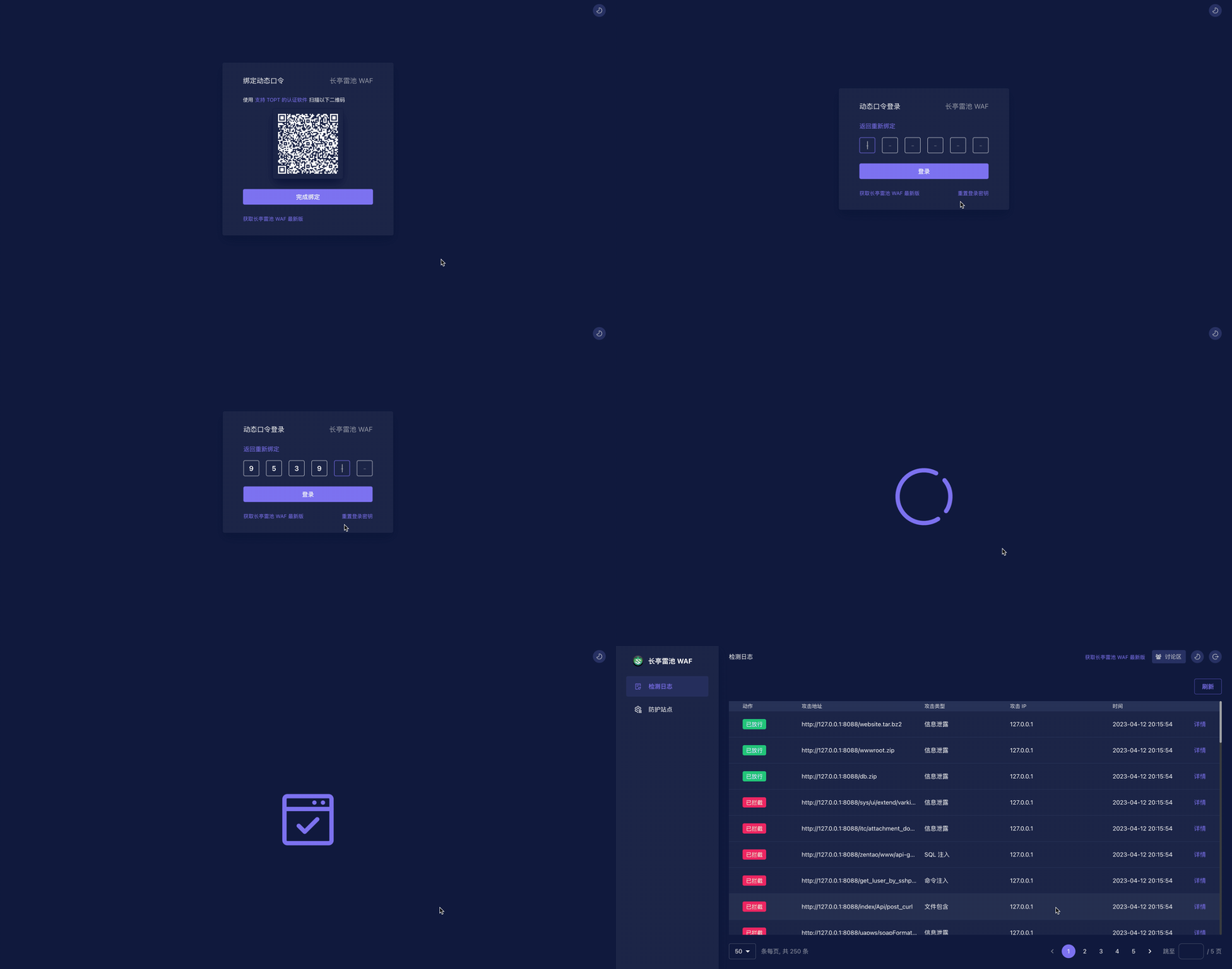
### 1. Login
|
||
|
||
Open admin page `https://<waf-ip>:9443` and scan qrcode with any authenticator Apps that support TOTP, enter the code to login.
|
||
|
||
|
||
|
||
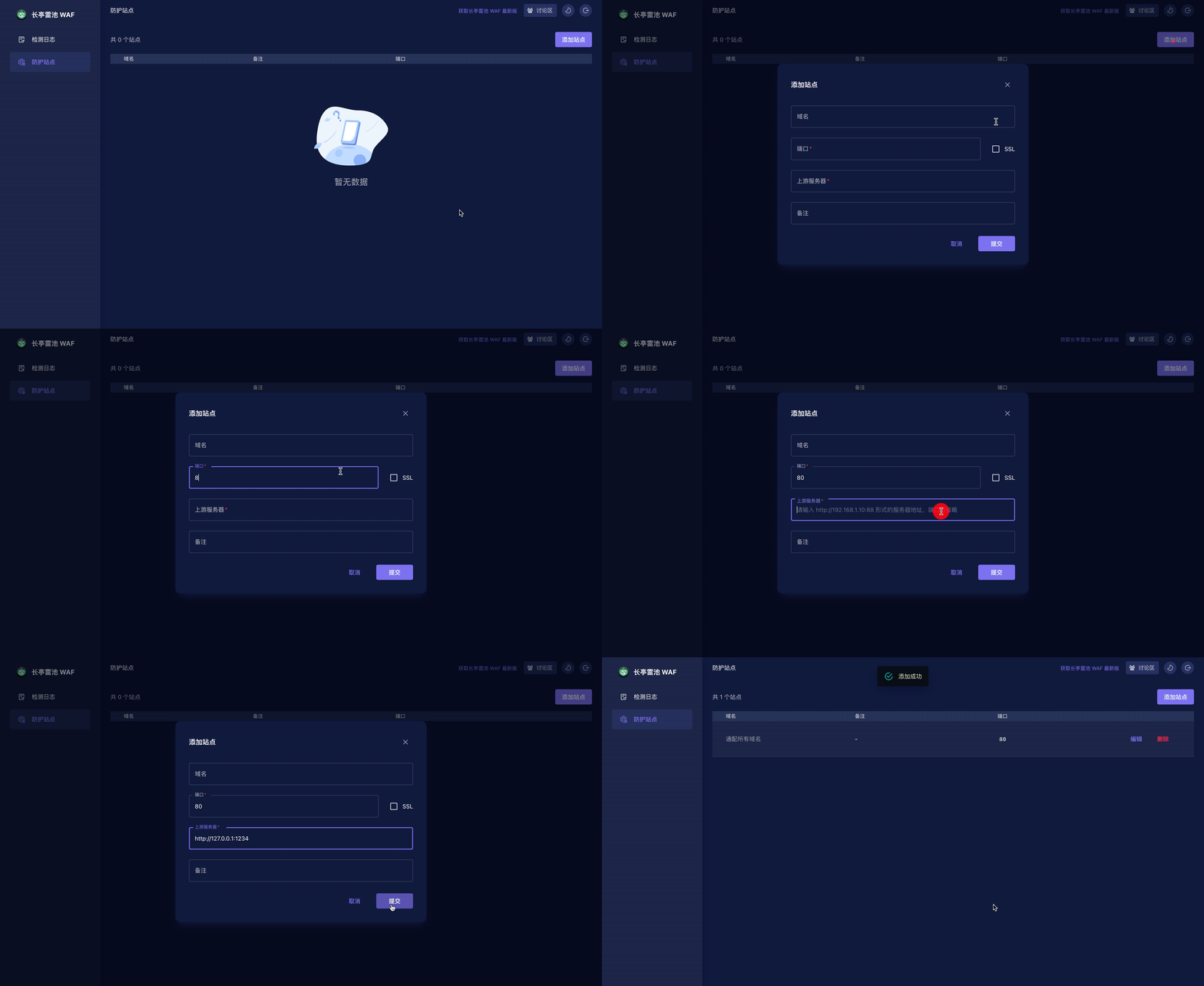
### 2. Create website
|
||
|
||

|
||
|
||
<font color=grey>💡 TIPS: After creating website,execute `curl -H "Host: <Domain>" http://<WAF IP>:<Port>` to check if you can get correct response from web server.</font>
|
||
|
||
### 3. Deploy your website to SafeLine
|
||
|
||
- If your website is hosted by DNS, just modify your DNS record to WAF
|
||
- If your website is behind any reverse-proxy like nginx, you can modify your nginx conf and set upstream to WAF
|
||
|
||
### 4. Protected!👌
|
||
|
||
Try these:
|
||
|
||
- `http://<IP or Domain>:<Port>/webshell.php`
|
||
- `http://<IP or Domain>:<Port>/?id=1%20AND%201=1`
|
||
- `http://<IP or Domain>:<Port>/?a=<script>alert(1)</script>`
|
||
|
||
## 📖 FAQ
|
||
|
||
Please refer to our [FAQ](FAQ.md) first if you have any questions.
|
||
|
||
For examples:
|
||
- [docker compose or docker-compose?](FAQ.md#docker-compose-or-docker-compose)
|
||
- [website configurations](FAQ.md#站点配置问题)
|
||
- [website not working / not correctly response](FAQ.md#配置完成之后还是没有成功访问到上游服务器)
|
||
|
||
## 🏘️ Contact Us
|
||
|
||
1. You can make bug feedback and feature suggestions directly through GitHub Issues.
|
||
2. By scanning the QR code below (use wechat or qq), you can join the discussion group of SafeLine users for detailed discussions.
|
||
|
||
<img src="https://waf-ce.chaitin.cn/images/wechat-light.png" width="30%" />
|
||
|
||
## ✨ CTStack
|
||
<img src="https://ctstack-oss.oss-cn-beijing.aliyuncs.com/CT%20Stack-2.png" width="30%" />
|
||
|
||
SafeLine has already joined [CTStack](https://stack.chaitin.com/tool/detail?id=717) community.
|
||
|
||
## Star History <a name="star-history"></a>
|
||
|
||
<a href="https://github.com/chaitin/safeline/stargazers">
|
||
<img width="500" alt="Star History Chart" src="https://api.star-history.com/svg?repos=chaitin/safeline&type=Date">
|
||
</a>
|